
The difference between an average hire and a great one isn’t just technical ability. It’s the combination of accuracy, reliability, system capability, and the ability to engage customers professionally, solve problems, and remain composed under pressure.
Our assessment approach uncovers that full picture. By combining objective skills testing with customer service behavioural insight, we provide a clear, evidence-based view of how candidates are likely to perform in real-world roles—day in, day out.
The result? Fewer hiring mistakes, stronger operational performance, and a more consistent, high-quality customer experience.

Our assessment suite provides a clear view of both technical capability and customer service behaviour in administrative and customer-facing roles.
We assess core skills such as typing, data entry, digital literacy, Microsoft Office, and call centre scenarios—ensuring candidates can meet the practical demands of the role.
Our Customer Service Personality Assessment goes further, revealing how individuals are likely to engage with customers, handle pressure, and maintain service standards in real-world situations.
The result is a more complete picture of performance—so you can hire people who not only do the job, but consistently deliver a strong customer experience..
Explore the full range People Central Administrative & Customer Service Skills Tests below. Each test delivers clear, evidence-based insights into practical skills, helping you make fair and confident hiring decisions. They highlight genuine strengths and areas for improvement, giving you a transparent benchmark to guide both selection and development.
This assessment evaluates the behavioural patterns that underpin effective performance in customer service roles, where interaction quality and service consistency directly impact customer satisfaction and long-term relationships.
Service representatives are often the primary point of contact with an organisation. This assessment provides a clear, objective view of how individuals are likely to behave in these interactions and how consistently they are likely to deliver service standards in day-to-day environments.

What the Assessment Measures
It focuses on how service is delivered in practice—not just what an individual knows.
Core Service Dimensions

Work Environment & Role Alignment Insights
The assessment also provides insight into the environments and role demands an individual is most likely to perform well in, including:
What This Means in Practice
The result is a clear, evidence-based view of how an individual is likely to behave in customer service situations, how consistently they will deliver service standards, and the environments in which they are most likely to succeed.

Aimed at people who have completed secondary school education, the Admin Staff Ability Assessment is a custom combination that blends GCAT with a Checking test with applications in a wide range of admin, clerical and customer services type roles. The assessment includes:
Click here for a sample report and then give us a call.
Please view the full range of Microsoft tests in the ‘IT & Software Skills Tests’ tab of the website. Click here to access.
The CCSI presents candidates with scenarios commonly experienced in contact centres to assess their suitability for working effectively in customer services and sales environments. Scenarios include:
CCSI focuses on personality traits associated with success in contact centre environments. Clients typically combine the CCSI with the Administrative Assessment to cover both abilities and personality of contact centre candidates.
Take a look at the sample report to see the easy to interpret, then give us a call to add the CCSI to your selection process.
We have a range of Typing Tests, pick a general test or an industry specific test; all of which assess online a candidate’s copy typing speed and accuracy.
Industry – Specific Typing Tests

This test measures a candidate’s ability to quickly and accurately enter both letters and numbers into database fields, simulating the real demands of administrative and customer service roles. It provides an objective assessment of speed, accuracy, and attention to detail—critical skills for handling large volumes of information without errors. Results help you identify candidates who can maintain productivity and data quality under pressure
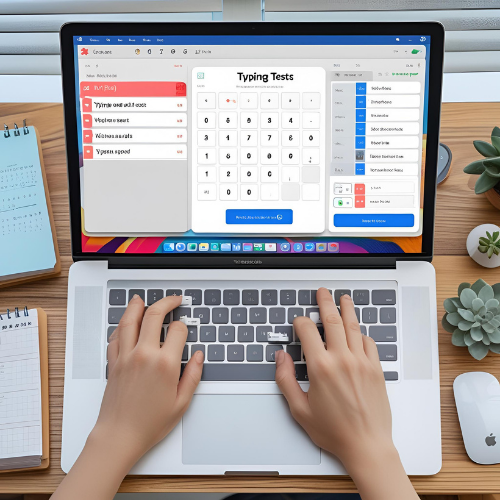
Can your candidate perform the absolute basics when working in any system? Ideal for entry level roles and for candidates with limited computing experience to date. The test is in a simulated database/CRM environment where candidates have to actually operate the system to answer questions.
Topics covered:
Click here for a sample report and then contact us to get started.
A step up from the Basic Computer Literacy Test, this test is set in a simulated environment where candidates need to navigate the software to answer questions and covers a broad spectrum of computing and software skills including:
Click here for a sample report then contact us to get started












Some People Central Clients

We combine the power of AI with proven psychometrics to help leaders see beyond the surface — uncovering real potential, cultural fit, and long-term value across your people decisions.

Copyright © 2025 People Central. All Right Reserved. | Crafted by Greenwebmedia | Sitemap



 Have any Questions?


